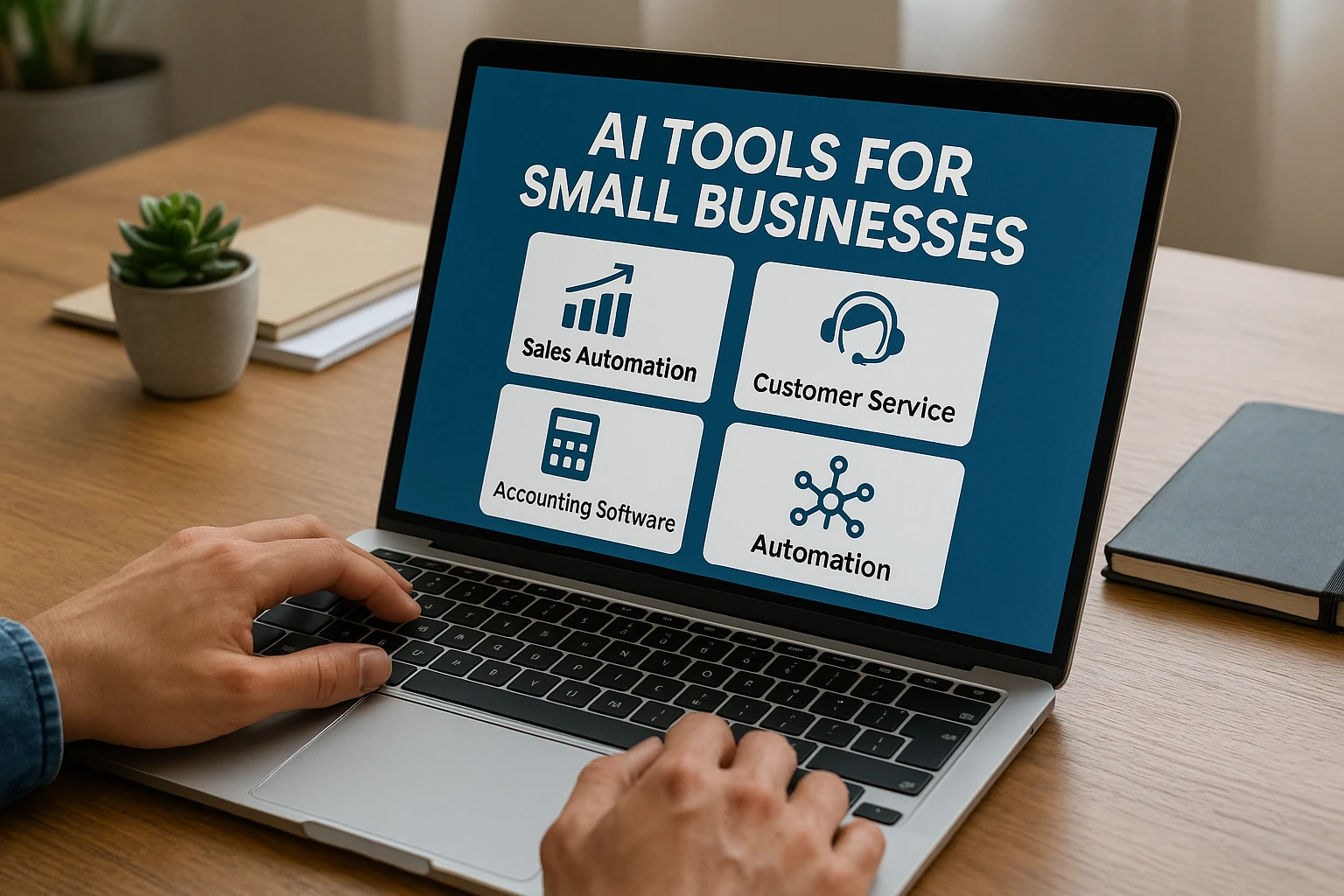
Small businesses face intense competition and need to accomplish more with fewer resources. AI tools for small businesses offer a practical way to level the playing field, handling repetitive tasks, supporting faster decisions, and reducing operational costs.
In this post, we look at how AI tools can help in key areas like sales, customer support, and financial management. We cover sales automation tools for small business, customer service AI tools, and accounting automation software. The benefits include reduced manual work, fewer errors, improved customer experiences, lower overhead, smarter resource allocation, and the ability to compete with larger companies. Learn more about the benefits of AI automation for small businesses.
Below you will find top picks in each category along with practical guidance on selecting and implementing these tools. For additional perspectives, see Shopify's guide on AI for small business or Kipwise's AI tools for startups and small businesses.
Understanding Automation Tools for SMB
Small businesses often lack the large teams or budgets of enterprise organizations. Automation tools address this gap by handling tasks efficiently with minimal human intervention, letting owners and their teams focus on growth and strategy.
AI in this context refers to technology that learns from data and improves over time. Automation applies that intelligence to perform tasks independently, whether that means sorting emails, analyzing sales patterns, or processing invoices. Tools built on machine learning and natural language processing are now affordable and accessible for businesses of all sizes, not just large corporations.
As of 2024, roughly 40 percent of U.S. small businesses use generative AI in their operations, double the figure from the previous year. This rapid adoption reflects the genuine value these tools deliver.
The core advantages include:
- Reduced manual work and fewer errors through automated routine tasks.
- Better customer experiences through faster, more personalized responses.
- Lower operating costs and improved resource utilization. See the full benefits of AI automation.
- Competitive advantages through better analytics and faster execution.
Many small businesses start with simple AI applications for email management or scheduling, then expand into more comprehensive automation systems as they see results. Most tools offer free tiers or low-cost entry points that fit tight budgets while delivering meaningful impact.
Explore more in Shopify's AI for small business guide and Kipwise's AI tools overview.
Sales Automation Tools for Small Business
Sales automation tools for small business simplify the selling process by handling lead discovery, outreach, customer tracking, and pipeline management. AI within these tools identifies buying signals and triggers follow-up actions automatically, helping small teams sell more effectively.
HubSpot
- Pros: Intuitive interface, built-in CRM, strong email automation, AI-powered lead scoring that predicts buying likelihood.
- Cons: Advanced features require paid tiers.
- Pricing: Free basic plan; paid plans start at approximately $20 per month.
- Integration: Connects easily with Gmail, Slack, and other popular applications.
- Automation: Captures leads from websites, sends timed email sequences, and tracks conversations. AI prioritizes the most promising leads automatically.
HubSpot is well-suited for small teams looking to bring structure and consistency to their sales process.
Salesforce Essentials
- Pros: Industry-leading CRM with AI-driven sales forecasting and actionable insights that scale with your business.
- Cons: Initial setup may be complex for very small teams.
- Pricing: Starts at approximately $25 per user per month.
- Integration: Extensive app marketplace connecting email, data tools, and more.
- Automation: AI forecasts sales trends, tracks deals automatically, and sends follow-up reminders, reducing guesswork in pipeline management.
Salesforce delivers data-driven sales intelligence that helps teams make better decisions at every stage of the pipeline.
Reply.io
- Pros: AI-assisted email composition, automated multi-channel outreach across email, calls, and social media.
- Cons: Advanced reporting requires higher-tier plans.
- Pricing: Starting at approximately $60 per user per month.
- Integration: Works with HubSpot, Salesforce, and Zapier for seamless connectivity.
- Automation: Identifies optimal outreach timing, generates personalized messages, and manages follow-ups without manual effort.
Reply.io excels at multi-channel outreach, making automated sales communications feel personal and well-timed.
These tools automate lead capture, maintain consistent follow-up cadences, and provide AI-powered analytics for smarter decision-making. Small businesses using sales automation typically see revenue increases of 20 to 30 percent through better lead management and reduced manual data entry. Discover more AI automation benefits.
Choose based on your primary needs: Reply.io for outreach-focused teams, HubSpot for an all-in-one CRM approach, or Salesforce for data-intensive sales operations.
Also worth reading: AI marketing tools overview.
Customer Service AI Tools
Customer service AI tools enable small businesses to provide fast, round-the-clock support through chatbots, automated ticket routing, and sentiment analysis. These tools handle queries efficiently, freeing staff for complex issues while maintaining high service quality.
Zendesk AI
- Features: Automatic ticket categorization, smart chatbots for common questions, and knowledge base generation.
- User feedback: Significantly reduces resolution times and improves customer satisfaction scores.
- Comparison: Particularly strong in ticket management compared to chat-focused alternatives.
- Integration tips: Connects to popular help desks and CRMs like Salesforce. Start by importing your existing FAQs.
- Enhancement: AI analyzes incoming messages to route them to the right support tier, resulting in faster resolution and shorter wait times.
Zendesk gives small teams the ability to deliver professional-grade support without proportional headcount increases.
Intercom
- Features: Predictive AI chatbots, automated workflows, and behavioral analysis based on conversation history.
- User reviews: Praised for easy bot setup and strong analytics dashboards.
- Comparison: Stronger than Zendesk for real-time conversational support and proactive engagement.
- Integration tips: Connects to CRMs, email platforms like Gmail, and e-commerce systems like Shopify. Start with a small conversational flow to test effectiveness.
- Enhancement: AI identifies customer intent early, enabling precise responses that build loyalty and satisfaction.
Intercom doubles as both a support and sales tool, making it versatile for growing businesses.
Chatfuel
- Features: Automated conversations on Facebook Messenger, WhatsApp, and websites. No-code bot builder.
- Pros: Quick setup, affordable, and fast to deploy.
- User feedback: Valued for simplicity and rapid results.
- Comparison: More budget-friendly than Zendesk or Intercom, with strong social media integration.
- Pricing: Free basic tier with additional features at paid levels.
- Integration tips: Connects to Shopify for e-commerce queries and Google Sheets for data management. Start with one platform like Messenger.
- Enhancement: AI handles routine questions 24/7 and escalates complex issues to human agents, ensuring continuous service availability.
Chatfuel is ideal for startups and businesses with a strong social media presence that need affordable automation.
These tools automate simple questions, escalate complex issues to humans, and provide consistent around-the-clock support. Choose Zendesk for ticket-centric operations, Intercom for live conversational support, or Chatfuel for social media-focused engagement. Businesses typically see support costs reduced by around 30 percent while customer satisfaction scores improve. Read about cost-cutting benefits.
Accounting Automation Software
Accounting automation software uses AI to handle invoicing, expense tracking, and financial forecasting, reducing errors and reclaiming hours that would otherwise be spent on manual bookkeeping.
QuickBooks with AI features
- Automation: Categorizes expenses automatically, generates invoices, and reconciles bank transactions.
- Pricing: Basic plans from approximately $30 per month.
- Scalability: Grows with your business and is accessible even for those without accounting expertise.
- ROI: Saves significant time on bookkeeping and identifies cash flow issues early. More on ROI benefits.
- Details: AI learns your spending patterns to improve categorization accuracy over time and forecasts cash flow from historical data.
QuickBooks is user-friendly and widely adopted, making it a solid default choice for small business financial management.
Xero
- Features: Intelligent bank reconciliation, automated reporting, and integration with over 1,000 third-party apps.
- Pricing: Starting at approximately $13 per month.
- Scalability: Supports growth from solo operators to multi-person teams.
- ROI: Reduces bookkeeping time and provides real-time financial visibility for faster decision-making.
- Details: AI automates recurring tasks like payroll integration and predicts financial trends to support planning.
Xero excels in its integration ecosystem, connecting seamlessly with sales, payment, and operational tools for a complete financial picture.
FreshBooks
- Strengths: Automated invoice tracking, payment reminders, and a clean, intuitive interface.
- Pricing: Starting at approximately $15 per month.
- Scalability: Adds features as your business expands.
- ROI: Accelerates payment collection and reduces late fees.
- Details: AI flags overdue items, suggests follow-up actions, and analyzes spending patterns for budgeting.
FreshBooks is particularly well-suited for service-based businesses that prioritize invoicing and client billing.
All three platforms offer analytics and financial forecasting capabilities that turn accounting from a chore into a strategic asset. Compare based on your needs: QuickBooks for comprehensive general accounting, Xero for integration breadth, and FreshBooks for streamlined billing. These tools can reduce errors by up to 50 percent through automated validation checks. Start with free trials to evaluate fit before committing.
See also Kipwise's AI tools for more accounting integration ideas.
How to Choose and Integrate Automation Tools for SMB
Selecting the right tools requires a clear-eyed assessment of your business needs across sales, customer service, and accounting automation.
Use this framework:
- Identify workflow bottlenecks: Find the tasks consuming the most time, such as manual lead tracking or invoice processing. Target the highest-impact automation opportunities first.
- Evaluate features against cost: Assess the value each tool delivers per dollar spent. Assess AI automation value. Check vendor support quality and contract flexibility. Free trials are invaluable for hands-on evaluation.
- Verify integration compatibility: Confirm the tool works with your existing email, CRM, or accounting software. Strong tools connect via APIs or platforms like Zapier. Read about Model Context Protocol for AI connections.
- Test usability and scalability: Choose intuitive tools that your team will actually use, and ensure they can grow with your business without excessive cost increases.
For implementation:
- Begin with a pilot: Start with one area, such as sales automation or accounting, to build confidence before expanding.
- Train your team: Use vendor guides and tutorials to bring everyone up to speed. Keep the onboarding process simple and step-by-step.
- Monitor results: Track metrics like time saved, error reduction, and customer satisfaction. Adjust your approach based on what the data shows.
- Maintain the human element: Keep people involved for complex decisions and relationship-building. Balance automation with personal touch.
Case Studies and Real-World Examples
Real-world results demonstrate the practical impact of AI tools across small business operations.
ALOHA Wellness Brand
ALOHA implemented AI for automated sales outreach, which doubled their qualified leads within six months. Sales teams shifted their focus from lead hunting to closing deals, delivering rapid ROI through more deals closed with less manual effort.
Boutique Marketing Agency
By adding AI-powered copywriting and chatbots, this agency generated 35 percent more leads while saving hours on client communications. Customer service AI handled routine queries automatically, freeing creative staff for higher-value work and improving both client relationships and response times.
Tax Consultant Firm
Using QuickBooks AI, this firm automated expense tracking and invoice reconciliation, cutting bookkeeping time in half. The accuracy improvements and faster reporting allowed them to serve more clients without adding staff.
These examples illustrate that well-chosen automation tools deliver quick, measurable wins in time savings, accuracy, and growth capacity.
AI tools for small businesses are essential for building more efficient workflows, stronger customer relationships, and sustainable growth. They automate tasks across sales, service, and accounting to deliver meaningful gains.
Top recommendations: For sales automation, try HubSpot or Salesforce Essentials. For customer service, Zendesk or Intercom offer strong capabilities. For accounting, QuickBooks or Xero are reliable choices.
These tools reduce costs and increase operational speed. Learn more about AI automation benefits. Start with free trials today to see the difference firsthand and discover what works for your business.